When we set out to rebuild the Basi Software site, the obvious choice was Next.js. We use it on client projects constantly. The team knows it inside out.
We chose Astro instead. Here’s why — and what we learned.
The SPA tax
Single-page applications shifted the rendering burden from server to client. For highly interactive apps — dashboards, editors, collaborative tools — that’s the right trade-off. For a marketing site with a contact form, it’s a tax.
The “SPA tax” shows up as:
- JavaScript shipped for interactions that never happen — the user reads the hero, scrolls, leaves. They never clicked the modal trigger. But you still shipped the modal JS.
- Hydration waterfalls — React rehydrates the entire tree before any interaction is possible
- Layout shift — server-rendered HTML is replaced by client-rendered HTML, causing CLS
# Lighthouse on our old Next.js site (production build)
Performance:         71
First Contentful Paint:  1.8s
Total Blocking Time:     340ms
JavaScript bundle:      ~280kb (gzipped)

# After migrating to Astro
Performance:         98
First Contentful Paint:  0.6s
Total Blocking Time:     0ms
JavaScript bundle:       ~6kb (only the Nav and ContactForm islands)
What Astro’s island architecture actually means
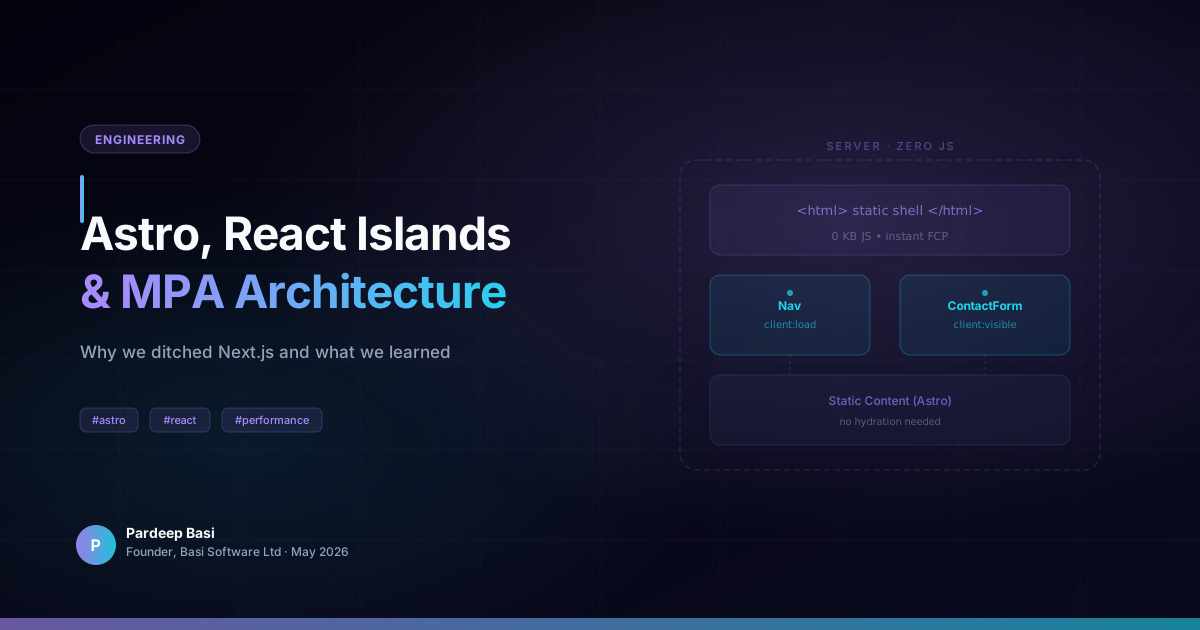
The term “islands” was coined by Etsy’s Katie Sylor-Miller. The idea: an otherwise static page has isolated “islands” of interactivity. Each island hydrates independently. Everything else ships as zero-JS HTML.
---
// Layout.astro — the shell is pure HTML
import Nav from '../components/Nav';          // React island
import ContactForm from './ContactForm';       // React island
import HeroSection from './HeroSection.astro'; // Zero JS — static HTML
---

<body>
  <!-- Hydrated React island — only 4kb of JS -->
  <Nav client:load transition:persist />

  <main>
    <!-- Static Astro component — ships as HTML, zero runtime cost -->
    <HeroSection />
  </main>
</body>
The client:load directive tells Astro to hydrate the Nav immediately on page load — we need it interactive at once. Everything else is HTML.
Directives that matter
Astro exposes five hydration directives. Picking the right one has a measurable impact:
| Directive | When it hydrates | Use for |
|---|---|---|
client:load | Immediately | Navigation, above-fold interactive |
client:idle | When browser is idle | Below-fold components |
client:visible | When element enters viewport | Lazy components |
client:media | When media query matches | Mobile-only widgets |
client:only | Client-side only, no SSR | Browser-API-dependent components |
For most marketing sites, client:visible is the right default for anything below the fold.
View Transitions without a framework
One of the reasons teams reach for Next.js is the built-in router with page transitions. Astro has this too, via the <ClientRouter /> component and the View Transitions API.
---
import { ClientRouter } from 'astro:transitions';
---
<head>
  <ClientRouter />
</head>
/* Custom transition — runs on every page navigation */
::view-transition-old(root) {
animation: fade-out 0.3s ease-in forwards;
}
::view-transition-new(root) {
animation: slide-up 0.4s cubic-bezier(0.22, 1, 0.36, 1) forwards;
}The transition:persist attribute on the Nav means it doesn’t re-mount between pages — the React island stays live, preserving scroll position and open/closed state.
Content collections for type-safe content
This blog itself is powered by Astro content collections — a Zod-validated, TypeScript-first content layer:
// src/content/config.ts
import { defineCollection, z } from 'astro:content';

const blog = defineCollection({
  type: 'content',
  schema: z.object({
    title:       z.string(),
    description: z.string(),
    pubDate:     z.coerce.date(),
    category:    z.string(),
    tags:        z.array(z.string()).default([]),
  }),
});

export const collections = { blog };
Every MDX file in src/content/blog/ is now fully typed. If a post is missing a required field, the build fails — not a runtime error in production.
When to still reach for Next.js
Astro isn’t the answer for everything:
- Highly interactive apps — if the majority of the page needs to be reactive, ship React. An Astro site with
client:loadon every component is worse than Next.js. - Real-time features — live dashboards, collaborative editing, websocket-heavy UIs belong in a proper SPA
- Large authenticated apps — auth flows, dynamic routing based on user data, complex client-side state — Next.js wins here
The heuristic: if most of your pages are primarily read rather than interacted with, Astro is the better starting point.
Conclusion
The return to multi-page architecture isn’t a step backward. It’s a recognition that the web’s native model — documents linked by hyperlinks — is still the most performant, accessible, and resilient architecture for content-first sites.
Astro just makes it pleasant to build that way in 2026.